
In early 2025, I started using Figma Make to prototype features for a Zoo Management Platform. It’s a tool for managing animal care, events, and information.
At first, it was slower than expected. The results were inconsistent, and I kept rewriting prompts trying to get it right. It felt more like guessing than designing.
I realized I was jumping into prompts without clearly defining what I wanted to build. So I started outlining the structure, content, and logic first, then writing the prompt. The results became more consistent, and I felt more in control.
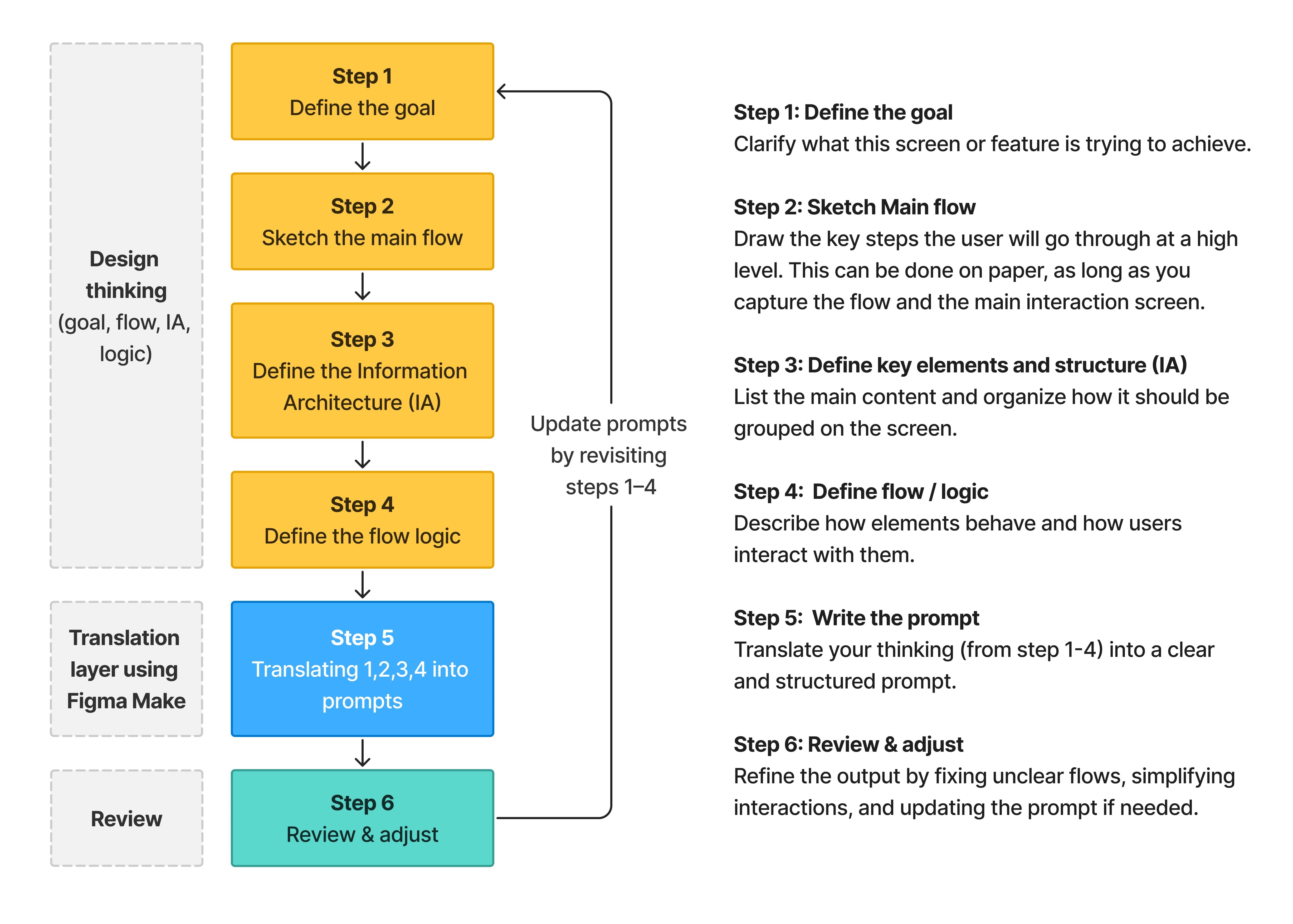
That’s when I developed a simple thinking process I now use before writing any prompt in Figma Make or other generative AI tools. It’s not about better prompts. It’s about applying design thinking before using AI.
A quick example
Let’s look at a quick example with this feature called Zoo Life Directory. It’s a tool for creating animal and plant profiles.
Below is a walkthrough of how each step in the process shapes the prompt and improves the output. You can check out this AI-first prototype, where you can try the creation, edit, publish, and unpublish flows.
1. Define the goal
Write 1–2 sentences to clarify:
What the feature does
Who it is for
What outcome it should achieve.
Follow this format:
It’s a feature for [user] to [do something] so that [out come].
3. Define the Information
Structure (IA)
4. Define the flow / logic
Outline how the flow behaves:
What happens after each action
Transitions between screens
5. Write the prompt
6. Review & adjust
Review the output and adjust:
Fix unclear flows
Simplify interactions
Update prompts by revisiting steps 1–4